What Students See vs. What Instructors See on a Turnitin Report
The similarity report a student sees and the one an instructor sees are not the same report. Here's exactly what's hidden from students by default — AI scores, student-paper matches, and more — and why the gap exists.
The quick answer
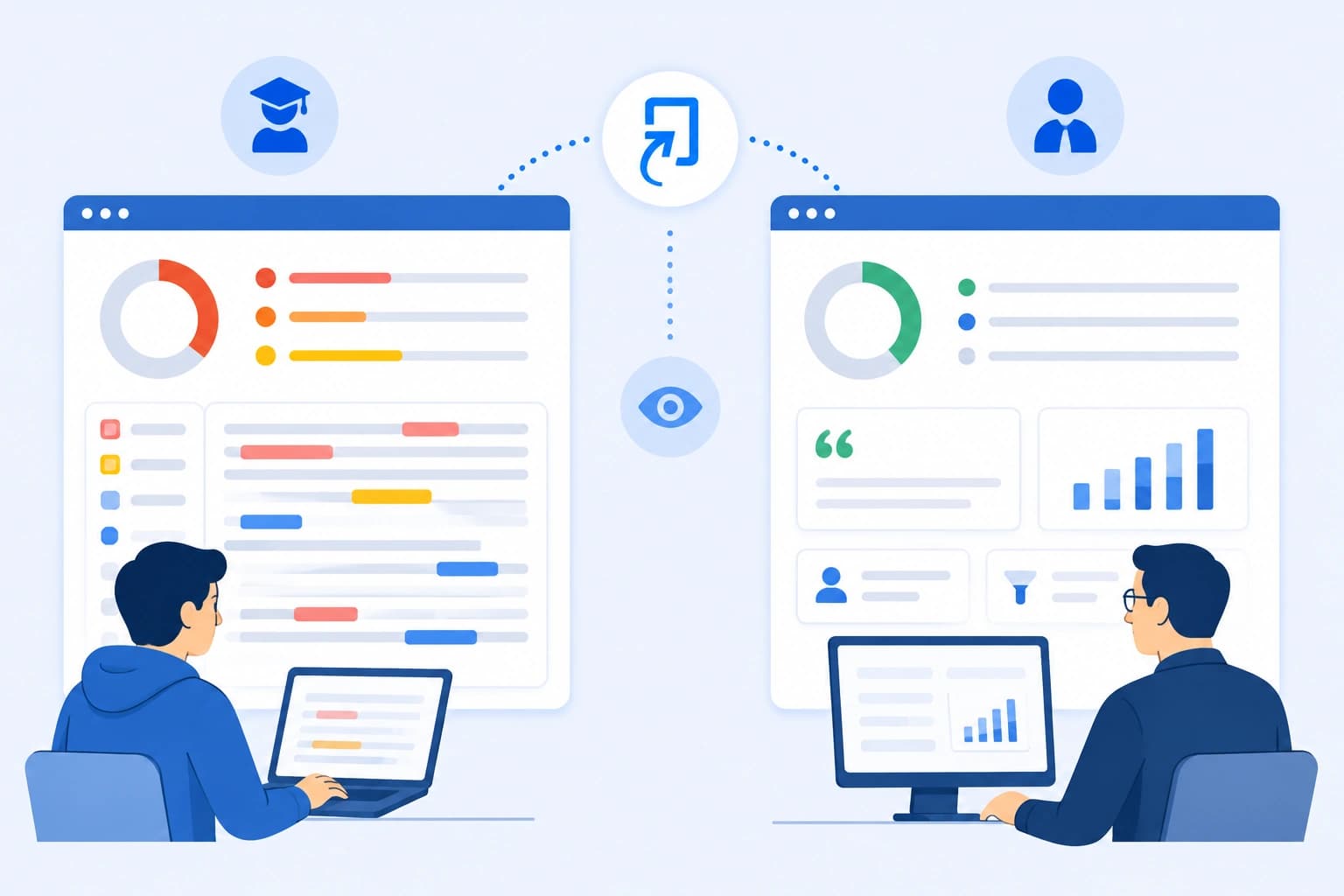
The similarity report a student sees and the one an instructor sees are not the same document, even for the identical submission. Students generally see a restricted view: no AI detection score, no visibility into matches against other students' papers, and access to only the classic report interface rather than the full enhanced view instructors can use. None of this is a bug or an inconsistency — it's a deliberate design choice, and understanding exactly where the gap is explains a lot of confusion students run into when a result seems to be missing information they expected to see.
The three biggest gaps
- AI writing detection. Not visible to students at all, under any circumstances, through the standard report interface.
- Matches to other students' papers. If your submission matches text from another student's stored submission, that specific source is hidden from your view — though the match still counts toward your overall percentage.
- Report interface and features. Students are limited to the classic Similarity Report view; instructors can access either the classic or the newer enhanced report, depending on institutional settings.
AI detection is instructor-only, full stop
This is the gap that catches the most students off guard. Per Turnitin's own guidance on the student Similarity Report, AI writing detection results — the percentage and highlighted text covered in our piece on what the asterisk means on a Turnitin AI report — are visible only to instructors and institutional staff. A student opening their own submission's report will not see an AI score anywhere in that view, regardless of what the actual result was. If an instructor wants a student to know the AI result, they have to do it manually — downloading the report and sharing it directly — because there's no built-in student-facing toggle for this specific feature.
This is a meaningfully different situation from the similarity score, which students do generally have access to (subject to the visibility settings covered below). It's worth not assuming "no AI score visible to me" means "no AI check was run" — it very likely was; you simply don't have access to that specific part of the report by default.
Matches to other students' papers are hidden from students
If a match in your report traces back to another student's previously submitted paper — rather than a website or a published article — that specific source is not shown in the student view, specifically to protect that other student's privacy. An instructor reviewing the same report can see exactly which student paper a match came from; a student looking at their own report sees that a match exists and counts toward the percentage, without necessarily being told the specific source is another student's work. This connects directly to the self-matching mechanics covered in our piece on whether Turnitin detects self-plagiarism — even a match against your own earlier submission across different classes may not be labeled clearly as such in your own view, which is part of why these situations can be confusing to resolve without direct instructor input.
Instructors can turn off student access entirely
Beyond what's excluded from the student view by default, instructors have a further layer of control: they can suppress student access to the similarity report altogether, either permanently for a given assignment or temporarily until a specified date — commonly used to prevent students from seeing their result before a submission deadline has passed, or to hold results back until grading is finished. This means it's entirely possible to submit a paper, have a report generate successfully, and simply not be able to view it yet — a setting decision, not a processing error, covered in more depth in our piece on what happens if Turnitin flags you.
Why Turnitin designed it this way
The underlying logic connects to two different goals. Restricting AI detection to instructors keeps that specific, more contested signal in the hands of the person making an actual academic judgment call, rather than exposing a raw probabilistic score directly to students without context — consistent with Turnitin's broader stated position that the AI score shouldn't be treated as a standalone verdict. Hiding other students' identities behind a match protects the privacy of those other students' submitted work, which is a straightforward data-protection consideration independent of anything to do with AI detection specifically.
What this means practically
If your instructor mentions an AI score, or references a match to "another student's paper," and you can't find either of those things in your own report, that's expected — you're genuinely not supposed to have direct access to that layer of detail through the standard student interface. The practical response is asking your instructor directly rather than assuming something went wrong with your submission or your access. It's also worth checking with your instructor early whether report access is delayed or restricted for a specific assignment, rather than assuming a missing report means a processing failure.
The bottom line
Student and instructor views of the same Turnitin report are deliberately different, not just differently permissioned copies of an identical document. AI detection is instructor-only under any configuration, matches to other students' papers are hidden from student view by design, and instructors can further restrict or delay student access entirely on a per-assignment basis. None of this is a technical glitch — it reflects real design decisions about privacy and how AI detection results specifically should be handled.
If you want to see your own actual similarity and AI detection results — both layers, together — before you submit, you can check your reports through SimilarityAndAI, the same Turnitin engine your institution uses.
Frequently asked questions
Can students see their own AI detection score on Turnitin?
No, not through the standard student view. AI writing detection results are visible only to instructors and institutional staff. A student viewing their own similarity report does not see an AI percentage at all — if an instructor wants to share that specific result, they'd need to do so manually, outside the normal report interface.
Why can't students see when their paper matches another student's paper?
Turnitin's student view excludes matches to other students' submissions specifically to protect the privacy of those other students' work. An instructor reviewing the same report can see that a match traces back to another student's paper; the student's own view of their report does not show that same detail.
Can an instructor block a student from seeing their similarity report at all?
Yes. Instructors have the ability to suppress student access to similarity reports entirely, or delay access until a specified time — commonly used to prevent students from seeing results before a due date, or to withhold results until grading is complete. Whether you can see your own report at all, and when, is an assignment-level setting your instructor controls.
Do students and instructors ever see genuinely different similarity percentages for the same paper?
The core overall percentage is generally the same number for both views, but what's excluded from being visible — the AI score, other-student matches, and certain interface features only available in the instructor's enhanced report view — means the underlying detail behind that percentage can look meaningfully different depending on who's looking at it.
Ready to check your paper?
Get your Turnitin reports in minutes.
Same reports your institution generates — delivered privately, fast.